Amazfit Bip 6 Review: A Practical Budget Smartwatch for Everyday Use
Fitness trackers and smartwatches have a problem I don’t like to admit as a tech person: most of them are overkill for what people actually need.
For many use cases you don’t need the latest Apple Watch or a giant Garmin. You need something that:
- shows the time and notifications reliably,
- tracks steps, heart rate and sleep without babysitting it,
- has a battery that doesn’t die every second day,
- and doesn’t cost half your phone.
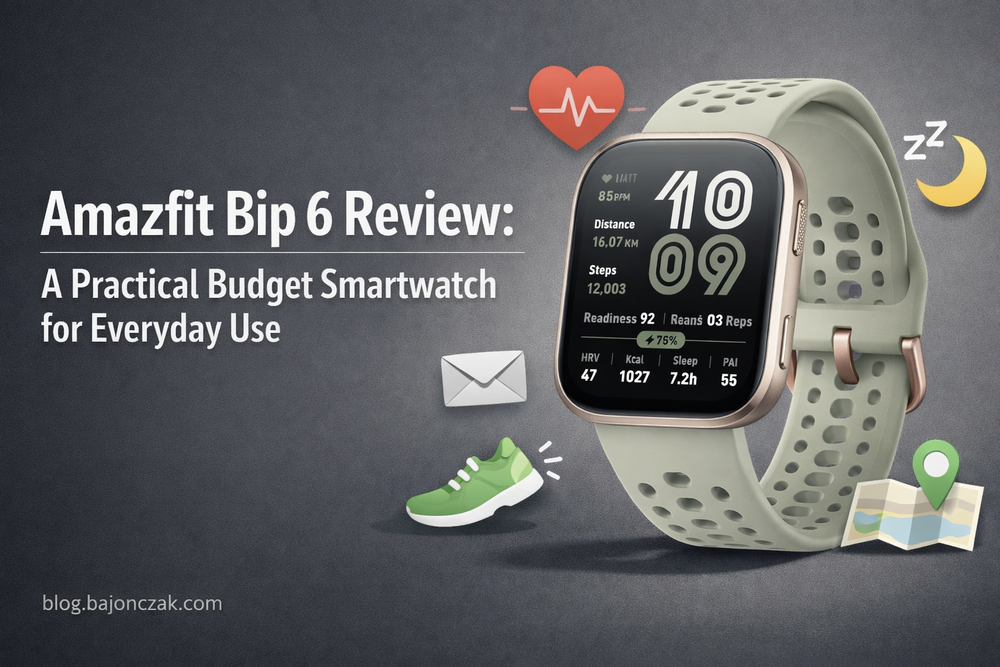
That’s why the Amazfit Bip line has always been interesting to me. The Amazfit Bip 6 continues that idea: an inexpensive smartwatch with long battery life, solid fitness tracking and just enough “smart” features.
I haven’t been paid for this review and I didn’t get the watch for free. This is my honest look at the Bip 6 based on my own research, the way I (and people around me) actually use these devices, and how it fits into a realistic setup for everyday use.
Some of the links below are Amazon affiliate links. If you buy through them, I earn a small commission at no extra cost to you.
What the Amazfit Bip 6 is trying to be
On paper, the Bip 6 sits in a sweet spot:
- budget-friendly price,
- bright color display,
- GPS and multiple sport modes,
- heart rate and sleep tracking,
- up to around two weeks of battery life in normal use (depending on how many features you turn on).
That makes it ideal for three types of people I keep running into:
- People who want to move more and get basic health stats, but don’t care about every advanced metric.
- People who are tired of charging their watch every day.
- People who want something they can actually recommend to parents or non-techy friends without spending an hour on setup.
If you want a mini smartphone on your wrist, this is not it. If you want something that quietly tracks your basic health and doesn’t constantly ask for attention, it’s exactly in that zone.
Display and comfort: good enough for everyday use
The Bip 6 uses a color display that’s easy to read indoors and fine outdoors as long as you don’t stand in direct, harsh sunlight the whole time. It’s not a flagship AMOLED panel like on more expensive watches, but for the price and the use case (glanceable information) it does its job well.
What I care about here is:
- Can I read the time and my stats without squinting?
- Is the screen responsive enough when I swipe and tap?
- Does it feel okay to wear all day, including during sleep?
The general consensus from reviews and user feedback is:
- yes, it’s readable,
- yes, the UI is responsive enough for normal use,
- and the form factor is light and comfortable enough to wear 24/7.
That last part matters more than people think. A fitness watch that you take off every evening because it’s annoying on the arm is basically useless for sleep tracking, and that’s one of the main reasons to have it.
Battery life: where the Bip 6 makes a lot of sense
This is the main reason I’m even interested in devices like this: I don’t want to turn my watch into a second thing that constantly needs charging.
The Bip 6 is rated for up to about two weeks of battery life under “normal” mixed use, and closer to a week if you really push GPS and notifications. As always, real life depends on:
- how many workouts you track with GPS,
- whether you use always-on display or not,
- how often the watch lights up with notifications.
But even if you only get one week in your personal setup, that’s a huge difference compared to daily charging. It turns the watch into something you treat more like a normal watch with superpowers, not another gadget to manage.
For people like parents or relatives who are not into tech, this is a big deal: they don’t need to remember another daily charging ritual. In practice, “I charge it every Sunday while I watch TV” is a realistic pattern.
Health and fitness tracking: enough for most people
On the fitness side, the Amazfit Bip 6 covers the basics well:
- step counting,
- continuous heart rate monitoring,
- sleep tracking (with sleep stages),
- GPS-based outdoor activity tracking,
- multiple sport modes (running, cycling, walking, some indoor workouts, etc.).
From the reviews I’ve read and the data people share, the accuracy is “good enough for normal users”:
- Steps: in line with what you’d expect from a wrist device.
- Heart rate: fine for general health tracking and most workouts, not a medical-grade device.
- GPS: okay for everyday runs and walks, might not match a high-end sports watch exactly, but close enough to see where you went and how far.
If you’re training for a marathon and obsessing over pace and intervals, you might want a higher-end sports watch. If you want to see how much you move, if your resting heart rate goes up after too many late nights, and if you’re actually sleeping as much as you think – the Bip 6 is perfectly fine.
Smart features: notifications, calls and the basics
Smartwatch-wise, the Bip 6 stays on the simple side, which I actually see as a feature here.
What it does well:
- Notifications from your phone (messages, calls, apps – configurable in the companion app).
- Call alerts and basic call management (depending on your phone/platform).
- Activity reminders (get up and move if you’ve been sitting too long).
- Simple controls like timers, alarms, weather.
What it doesn’t try to do:
- Install a million third-party apps on your wrist.
- Replace your phone for messaging, browsing, etc.
- Offer contactless payment with every possible system.
That’s perfectly fine for many use cases, especially if the Bip 6 is a “health companion” and not your primary smart device.
Who I think the Amazfit Bip 6 is for
In my head, the Bip 6 is ideal for a couple of specific profiles:
1. The “I just want something that works” person
They don’t care about brands or ecosystems. They want:
- steps,
- heart rate,
- sleep stats,
- a watch that doesn’t die every two days.
The Bip 6 ticks those boxes without being fussy. Once set up, it just runs.
2. The parent or relative you don’t want to overload
If you’ve ever tried to put a high-end smartwatch on the wrist of someone who doesn’t live in tech, you know the pattern:
- too many options,
- too many notifications,
- too many things that can go wrong.
From what I’ve seen in real-world use, the Bip 6 hits a nice point: easy to use, clear interface, enough health data to be useful without overwhelming them.
3. The budget-conscious user who still wants real tracking
There are cheaper no-name trackers out there, but they often come with questionable apps, poor updates and weird behaviour over time.
Amazfit as a brand has been around for a while, their app is decent, and they keep updating devices. For the price range, that’s not a bad deal.
What I don’t like or wouldn’t expect from the Bip 6
I don’t want to pretend it’s perfect. There are a few things I wouldn’t expect much from at this price point:
- No deep app ecosystem – you’re mostly using what’s built in.
- No full-blown smartwatch experience like on Apple Watch or Wear OS.
- Health metrics are fine for trends, but not a substitute for medical devices.
If you buy it with realistic expectations – as a solid budget health tracker with some smart features – you’re in a good place. If you expect it to replace a 400+ Euro flagship smartwatch, you’ll be disappointed.
Amazfit Bip 6: my bottom line
For me, the Amazfit Bip 6 is one of those devices that make a lot of sense in the real world, even if they don’t generate big headlines:
- It’s affordable.
- It tracks the things most people care about.
- It has good battery life.
- And it’s simple enough that you can actually recommend it to non-techy people.
If you’re looking for a watch that quietly does its job and doesn’t try to become a second smartphone on your wrist, the Bip 6 is worth a look.
Here are some example links if you want to check it out on Amazon:
If you buy through these links, you support my work on this blog without paying anything extra. And if you end up trying the Bip 6, I’d be curious to hear how it works for you in everyday life.