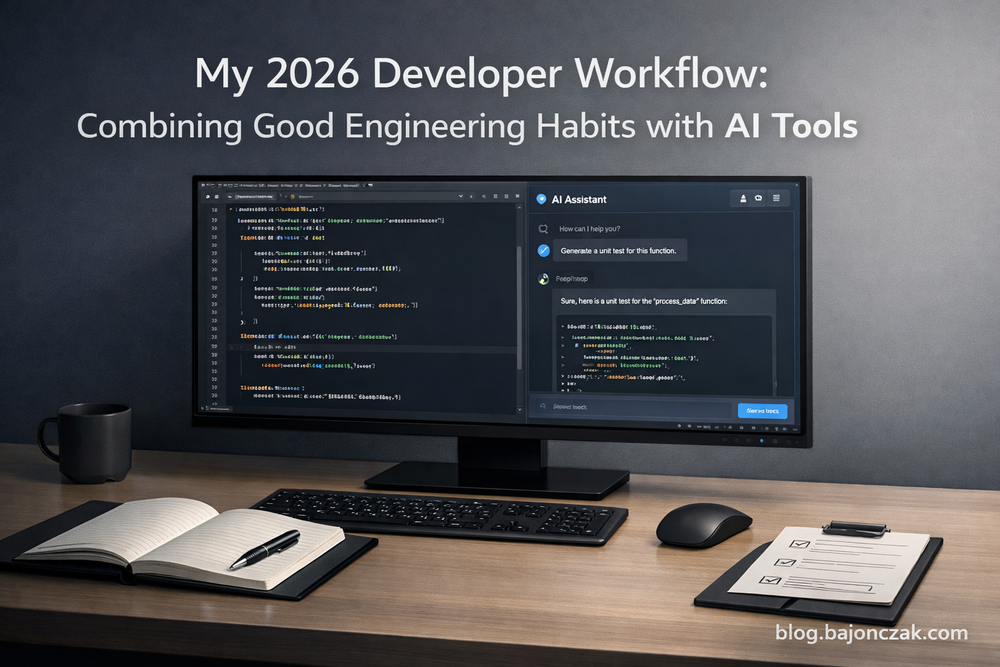
My 2026 Developer Workflow: Combining Good Engineering Habits with AI Tools
In 2026, it is almost harder to avoid AI than to use it.
Code editors suggest entire functions, terminals talk back, and there is always a model somewhere that promises to “do the rest for you”. At the same time, the systems we build are not magically simpler. The bugs are still real, and production still does not care if your code was written by a human or by a model.
In this article I want to show something very concrete: how my daily developer workflow actually looks in 2026 – including AI, but not owned by it. I will walk through how I structure my work, where AI fits in, and where I deliberately fall back to “old school” engineering.
This is not a “10 tools you must use” list. It is a realistic workflow that tries to balance speed and control.
1. Starting from a problem, not from a tool
The biggest trap with AI is starting from “What can I do with this model?” instead of “What problem am I solving?”
So my day still starts the traditional way:
- What is the outcome I need?
- What parts of the system are affected?
- How does this change show up for users?
I usually jot this down in a simple text or markdown file inside the repo. Something like:
- feature: allow users to export reports as CSV
- constraints: must not block the UI; runs in background; notify user when ready
- touched areas: API, background jobs, notification system
- edge cases: large report size, timeouts, permissions
Only when I have this rough box sketched out do I bring AI into the picture. If I skip this step and go straight to “generate me some code”, I almost always pay for it later.
2. Using AI as a design partner, not a code vending machine
Before I write any code, I often use AI to explore design options.
Typical things I ask:
- “Given this context, what are 2–3 reasonable ways to design this feature?”
- “What are the trade-offs between approach A and B?”
- “Which failure modes should I think about for this kind of change?”
I paste in a short description of my system and the problem (never proprietary secrets, and for sensitive projects I prefer local models) and ask for high-level advice, not code.
What I get back is rarely perfect, but it helps me spot blind spots early. Sometimes it reminds me of patterns I forgot; sometimes it surfaces edge cases I would have discovered only under pressure.
The important part: I use AI to widen my thinking, but I still make the design decisions.
3. Writing the first version of the code: humans first, AI as an accelerator
When it comes to actually writing code, my rule is simple:
- For small things (helper functions, straightforward glue code), I am happy to let AI suggest most of the code.
- For core logic and complex flows, I prefer to write the structure myself and use AI only to fill in pieces.
A typical pattern:
- I write the function signature, docstring and a few comments explaining what should happen.
- I ask the AI in my editor to complete the implementation.
- I immediately review and “own” the result – I read it as if a junior developer had written it.
If I catch myself just accepting whole files without reading them, that is a warning sign. AI is a fantastic autocomplete, but it does not carry responsibility. I do.
4. Tests first-ish: where AI helps and where it hurts
I am not a perfect “always TDD” person. Sometimes I write tests first, sometimes after the first draft. But I have noticed one thing: in an AI-assisted world, tests are even more important than before.
I use AI in two ways around testing:
- to draft test cases and edge cases I might miss,
- to generate boring boilerplate (fixtures, parameterised test data, etc.).
For example, I might write a short description:
Write unit tests for a function that generates CSV exports from a list of records. Important cases: empty list, records with special characters in fields, very large lists that should be streamed or chunked.
The AI gives me a starting set of tests. I then:
- prune the ones that are redundant or unrealistic,
- add the cases that are specific to my system,
- make sure the names and structure match the rest of the test suite.
The goal is not to let AI decide what “done” means. The goal is to use it to reach meaningful coverage faster.
5. Using AI for refactoring and explanations
Once something works and is covered by tests, I often use AI again to improve it.
Concrete things I ask for:
- “Refactor this function to make the control flow clearer.”
- “Extract the validation logic into a separate helper and suggest a good name.”
- “Explain this block of code in plain English so I can add a helpful comment.”
Sometimes I paste a gnarly function into an assistant and ask it to explain the behaviour. This is especially useful when I am working in older parts of a codebase that I did not write.
But there is a hard rule: refactors go through the same process as if a human wrote them.
- I run the tests.
- I skim the diff and look for surprising changes.
- I reject refactorings that make things cleverer but less clear.
AI is great at renaming and reshaping code. It is terrible at understanding your team’s sense of “too clever”.
6. AI in the DevOps loop: scripts, configs and incidents
Beyond the editor, I also use AI around DevOps tasks – but again with boundaries.
Examples:
- Shell one-liners and small scripts:
“Write a bash script that finds all log files larger than 1 GB in /var/log and compresses them, leaving a timestamped backup.”
I then review the script before running it, or run it in a safe environment first. - CI/CD config fragments:
“Show me a GitHub Actions workflow that runs tests on push and builds a Docker image on main.”
I adapt it to the project, rather than blindly copying it. - Incident notes and summaries:
After an incident, I paste the raw chat log and notes into an AI and ask it to draft a structured incident report that I then fix and complete.
What I do not do is let AI execute changes directly on production systems without explicit human review and guardrails.
7. Keeping boundaries: where I deliberately do not use AI
Just like in my previous article about AI boundaries, there are areas of my developer workflow where I stay very cautious or avoid AI entirely:
- Sensitive code and data:
Anything that would be a problem if it leaked stays away from generic cloud models. For that I either use local models or no AI at all. - Security-critical logic:
I am okay with AI helping me think about threat models and test cases, but I do not let it write auth, crypto or payment logic end-to-end. - Performance-sensitive hotspots:
For a tight loop or a critical performance path, I might ask AI for ideas, but I want full control over the final implementation.
8. Daily habits that matter more than any tool
The longer I work with AI tools, the more I appreciate the boring basics. The habits that actually make or break a developer workflow have not changed that much:
- Small, focused commits with clear messages
- Tests that are fast and reliable
- Code reviews that are honest, not just “LGTM”
- Simple, readable code over clever one-liners
- Regular refactoring instead of big-bang “cleanup weeks”
AI can support all of these:
- It can help you write better commit messages.
- It can suggest tests.
- It can comment on your code review and highlight things you might miss.
But none of that works if the underlying habits are broken.
So my 2026 workflow is basically this:
- Think clearly about the problem.
- Use AI early for design and exploration.
- Use AI in the editor as an accelerator, not an autopilot.
- Protect quality with tests and reviews.
- Use AI around the code (scripts, docs, incidents) to reduce glue work.
- Keep hard boundaries where mistakes would really hurt.
If you treat AI as a powerful assistant inside an already solid workflow, it will feel natural to work with. If you try to build your workflow around AI from scratch, you will spend more time fighting the tool than shipping useful code.