No, You Don’t Need a 6-Month Integration Project: 3 SAP Use Cases You Can Build with Power Platform in a Weekend
Whenever SAP comes up in the same sentence as “integration project”, people mentally see six‑month timelines, steering committees and a forest of Visio diagrams.
Don’t get me wrong: there are plenty of SAP projects that do justify that level of ceremony.
But there’s also a big category of “we just want this one thing from SAP to show up somewhere useful” – and for those, you don’t need another monster project plan. You need a small, boring, end‑to‑end flow that you can actually build in a weekend.
In this post I want to walk through how I think about that category and sketch three concrete SAP use cases you can realistically build with the Power Platform in a few days instead of a few quarters.
A quick reality check: what I mean by “weekend project”
Before anyone gets offended: I’m not saying you can redesign your entire SAP landscape in 48 hours with a few flows and a Power App.
When I say “weekend project” here, I mean:
- a narrow scope that you could demo on Monday,
- based on data and API access you already have (or can get without a political war),
- with enough structure that you wouldn’t be ashamed to show it to your SAP and security teams.
The point is to get away from “we’ll think about this in phase 3 of the big programme” and towards “let’s prove value on one specific use case”.
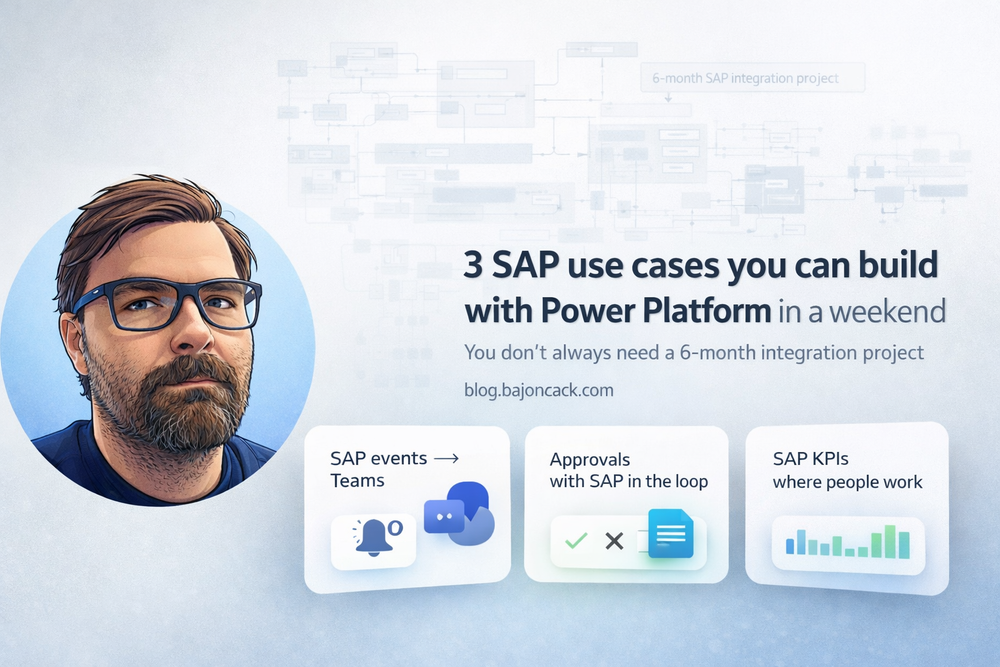
Use case 1: SAP events into Teams – without a new portal
The first pattern is simple: instead of building yet another portal where people never look, bring SAP events into the places they already live – usually Teams.
Example scenarios:
- New sales orders in a given region should show up in a Teams channel for the sales team.
- High‑severity incidents from SAP (e.g. failed IDocs, interface errors) should notify an on‑call channel.
- Changes in critical master data should be visible to the people who care.
On the SAP side you have a couple of options, depending on what your landscape looks like:
- Use existing integration (PI/PO, CPI, Integration Suite) to emit events onto a queue or web endpoint.
- If you’re in an S/4HANA / BTP world, use standard events or OData APIs.
- In older setups, you might have to cheat with scheduled queries on change tables.
On the Power Platform side, a minimal flow looks like this:
- Trigger: HTTP request or message from a queue/event hub when SAP emits something.
- Parse the payload and enrich it with whatever you need (e.g. look up customer names).
- Post a formatted message into a Teams channel.
You can do this entirely in Power Automate with the standard HTTP and Teams connectors. If you care about traceability and filtering, you can add:
- a SharePoint list or Dataverse table to store recent events,
- a second flow that allows someone to “mute” certain types of notifications for a period of time.
No extra UI, no new portal. Just SAP events where people already hang out all day.
Use case 2: simple approvals with SAP in the loop
A lot of “SAP workflows” in reality are still mail threads with attached spreadsheets. Someone exports a list, mails it around, collects replies and then manually updates SAP.
Power Platform is a good way to clean this up without replacing SAP’s own workflow engine or re‑implementing everything in BTP.
One pattern I like looks like this:
- A Power App or a Power Automate flow pulls a small, well‑defined set of items from SAP via an API or existing integration (e.g. “open purchase requisitions above amount X”).
- Approvers get a simple interface in Teams, a mobile app or a web form to approve/reject with comments.
- The result flows back to SAP via the same integration path.
From a security perspective, the important part is that SAP remains the system of record. The Power Platform app doesn’t try to “own” the process – it just orchestrates human decisions that ultimately land in SAP.
Concrete pieces you’d build over a weekend:
- a small Power App with a gallery of pending items and a detail screen,
- a Power Automate flow that:
- retrieves items from SAP on a schedule or via a trigger,
- writes them to Dataverse or a SharePoint list,
- kicks off approval requests to the right people,
- writes decisions back to SAP via an API call.
Nothing here requires you to redesign your SAP process. You’re just cleaning up the “people” part around it.
Use case 3: surfacing SAP KPIs without rebuilding reporting
In almost every SAP shop, there’s a long‑running complaint thread about reporting: too slow, too rigid, too many custom extracts, too many Excel files flying around.
You’re not going to fix that in a weekend. But you can do something more modest and still useful:
- identify a handful of KPIs people keep manually exporting from SAP,
- build a Power BI report or Power App that surfaces exactly those,
- embed that into Teams or a SharePoint site where the audience already is.
The flow looks roughly like this:
- Work with your SAP team to define a stable extract (table, view, OData service) for the KPIs you care about.
- Pull that data into Power BI or a Power Platform data source (Dataverse, Azure SQL, etc.).
- Build a simple report or app around it – no “enterprise dashboard”, just the views people actually use.
- Expose it in Teams as a tab in the relevant channel or as a standalone app.
The important thing is not to try to rebuild your full BI stack in one go. Pick one or two slices of value and make them stupidly easy to access.
What makes these “weekend‑ish” and not just wishful thinking?
All three patterns share a few traits that make them realistic for a short, focused push:
- Narrow, concrete scope. “This event goes to this channel.” “These items get this approval flow.” “These KPIs show up in this place.”
- Reuse of existing plumbing. You’re not inventing a new way to talk to SAP; you’re using APIs and integration points your SAP team is (hopefully) already comfortable with.
- Clear boundaries. SAP stays system of record, Power Platform handles presentation and light orchestration.
- Obvious value. It’s easy to show why the new flow is better than the mail/Excel/portal mess it replaces.
That doesn’t mean you skip security, compliance or architecture reviews. It just means you aim for a slice that you can get through those reviews without having to re‑justify your entire SAP estate.
Security and governance: the constraints you should respect
Even for “small” SAP + Power Platform projects, there are a few non‑negotiables in my mind:
- Use service principals and managed identities where possible, not random shared accounts.
- Keep SAP roles narrow for any technical users, so a compromised flow can’t see all of FI/HR/etc.
- Log who triggered what, especially when flows can change data.
- Be clear whether your Power App is internal‑only or exposed to external users (e.g. vendors) and configure that explicitly.
None of that requires a six‑month project. It just requires talking to your SAP, security and identity people early enough that they don’t feel blindsided.
My take
SAP has a reputation for big projects with big price tags. Sometimes that’s justified. But if every idea that touches SAP is automatically treated as an “initiative”, you end up shipping nothing for months.
The combination of SAP, a few well‑chosen integration points and the Power Platform is a good way out of that trap – as long as you’re honest about scope and risk.
Pick one small, clearly bounded use case. Build it end‑to‑end. Respect the guardrails from your SAP and security teams. Then use that as the reference point for the next conversation, instead of yet another slide with a giant target architecture.
You won’t fix your whole SAP story in a weekend. But you can make one painful corner of it significantly less annoying – and that’s usually enough to get people’s attention.