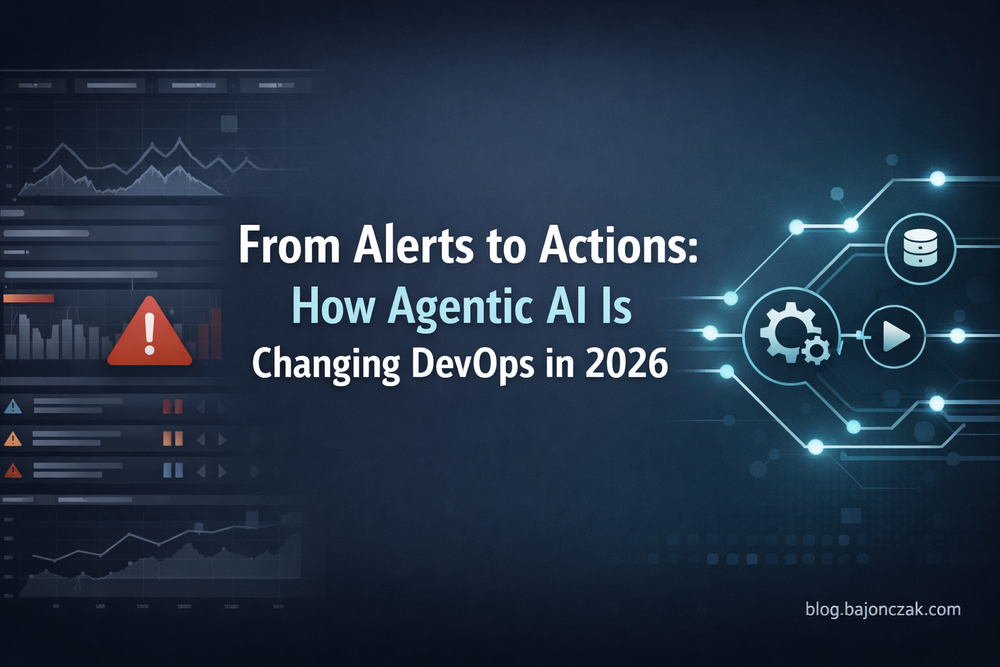
From Alerts to Actions: How Agentic AI Is Changing DevOps in 2026
For most teams I talk to in 2026, outages are no longer the main problem. Alert fatigue is.
We have more dashboards, more metrics and more „intelligent“ alerts than ever before. Every monitoring tool claims to reduce noise, yet most on-call engineers still wake up at 03:00 for issues that could have been auto-resolved – or at least auto-triaged.
At the same time, there’s a new buzzword in the air: agentic AI. Vendors promise „self-healing infrastructure“, „autonomous operations“ and all kinds of magic. In practice, you mostly see two extremes:
- slides with spectacular architecture diagrams, or
- fragile scripts glued to an LLM prompt that you will never trust in production.
In this article I want to take a more grounded approach. I’ll walk through how I think about agentic AI in DevOps, and show a few concrete patterns where it actually makes sense today:
- Turning noisy alerts into structured, contextual incidents
- Delegating well-defined runbook steps to an AI-powered agent
- Using AI to coordinate existing tools (chat, tickets, status pages) instead of reinventing them
I’ll use OpenClaw as an example for the „agent“ layer in some places, but the concepts apply to any system where an AI can call tools in a controlled way.
From dashboards to decisions: what „agentic“ really adds
Traditional monitoring and observability stacks are very good at one thing: telling you that something looks weird.
- A threshold was crossed.
- A latency SLO is breaching.
- An error rate spiked.
What they don’t do is answer questions like:
- „Is this likely a known issue or something new?“
- „What is the minimal action I can safely try right now?“
- „Who needs to know if this goes wrong, and where should I update them?“
This is where I see agentic AI fit in: not as a replacement for monitoring, but as a decision and orchestration layer on top of it.
An agent is different from a chatbot. It doesn’t just answer questions; it has explicit tools it’s allowed to use:
- run a command on a host (or via an automation system),
- query logs or metrics,
- create or update tickets,
- post in an incident channel,
- update a status page.
The trick is to define those tools clearly, and then let the AI combine them in flexible ways – with guardrails. Let’s look at a few concrete examples.
Example 1: From raw alert to contextual incident
Imagine a simple but common case: your monitoring system (Prometheus, Dynatrace, Datadog, whatever) fires an alert: „Error rate on service X above 5% for 5 minutes“.
The traditional flow looks like this:
- Alert goes to PagerDuty/Teams/Slack.
- Someone wakes up, opens dashboards, checks logs, maybe restarts something.
- They create or update a ticket, write a summary, ping other teams.
Now add an agentic AI layer in the middle.
Step 1: Alert → agent entry point
Instead of sending the alert directly to humans, your alerting system can also send a webhook to an agent (e.g. via OpenClaw), with payload like:
{
  "service": "checkout-api",
  "environment": "prod",
  "errorRate": 0.09,
  "threshold": 0.05,
  "region": "westeurope",
  "since": "2026-02-17T15:02:00Z"
}
Step 2: Agent runs a standard triage routine
The agent has a few tools available, defined by you:
- get_logs(service, time_range)
- get_recent_deployments(service, time_range)
- get_known_incidents(service)
- create_incident(summary, details)
- post_to_incident_channel(message)
Its first instructions might be something like:
When you receive an error-rate alert, always:
- Fetch logs for the last 10 minutes.
- Check if there were deployments in the last 30 minutes.
- Search known incidents for similar patterns.
- Create a structured summary of what you see.
5.Propose the minimal safe next step.
The agent might then call:
- get_logs("checkout-api", last_10_minutes)
- get_recent_deployments("checkout-api", last_30_minutes)
- get_known_incidents("checkout-api")
Based on that, it can generate a short report like:
Initial triage for checkout-api error spike (prod)
- Error rate: 9% (threshold: 5%), since 15:02 UTC
- Last deployment: 14:57 UTC, version 2.3.1 → 2.3.2
- Logs show many Timeout calling payment-provider errors
- Similar incident: #INC-2043 on 2025-11-03 (payment provider latency, mitigated by reducing timeout and enabling circuit breaker)
Hypothesis: External payment provider is slow/unavailable after recent deploy.
Suggested next step (requires human approval): Toggle feature flag payment_provider_retry_strategy to conservative mode, and reduce request rate by enabling „degraded checkout“-banner.
Step 3: Human stays in the loop – but starts from context
The first thing the on-call sees is not a raw alert, but a context-rich incident summary in the incident channel or ticketing system. They can then:
- quickly sanity-check the agent’s hypothesis,
- approve the suggested action,
- or ask the agent to dig deeper („check logs from the payment-provider side“).
The key value here is not „AI fixed the incident“. It’s that routine triage work is done before you even open your laptop.
Example 2: Delegating safe runbook steps
In almost every team, there’s a set of runbooks that are boring but necessary:
- „Restart service X in environment Y“
- „Fail over read traffic to replica cluster“
- „Scale deployment Z from N to M replicas“
Right now, many of these are implemented as wiki pages, shell scripts, or automation playbooks that humans trigger manually.
Agentic AI can help here by becoming a kind of „smart dispatcher“ for those runbooks.
Guardrails first: defining what the agent can do
The most important design decision is what you do not let the agent do.
Good candidates for „allowed actions“ are:
- operations that are idempotent and reversible,
- actions that are already codified and tested in your automation tools,
- steps you would be comfortable automating via a button in your dashboard.
Instead of giving the agent SSH access everywhere, you expose high-level tools like: - run_playbook(name, parameters)
- trigger_pipeline(name, environment)
- scale_service(service, replicas)
Each of these tools internally calls your existing Ansible, Terraform, Kubernetes, Azure, etc. pipelines.
Example: AI-triggered scaling with human confirmation
Let’s say CPU and latency alerts indicate that search-api is underprovisioned in production. The agent might:
- Receive the alert.
- Confirm via metrics that high CPU correlates with increased latency and no obvious error pattern.
- Propose:
„Increase search-api replicas from 6 to 9 in prod, then re-evaluate metrics after 5 minutes.“
- Call scale_service("search-api", 9) only after a human in the incident channel approves with a simple command, e.g.:
@incident-bot approve scaling
- After scaling, the agent keeps an eye on metrics and reports back:
„After scaling to 9 replicas, p95 latency returned below SLO within 4 minutes. CPU utilisation now at ~55%. No further action suggested.“
Again, the value is not in „AI did something magical“, but in:
- bridging the gap between observation and action,
- not forcing humans to manually look up and execute the right runbook,
- keeping a structured log of what was proposed and what was done.
Example 3: Coordinating communication and documentation
A huge chunk of incident pain is not technical at all. It’s coordination:
- opening the right channel,
- inviting the right people,
- keeping status updates in sync between ticket system, Teams/Slack and status page,
- writing the post-mortem.
Agentic AI can take over a lot of this „glue work“.
Example flow: from alert to well-documented incident
- Alert received
- Agent creates an incident record in your ticket system (e.g. Jira, ServiceNow).
- It opens or reuses an incident channel in Teams/Slack.
- It posts the initial triage summary (see Example 1).
- During the incident
- Whenever someone posts a relevant message in the incident channel, the agent can tag it internally: „hypothesis“, „decision“, „mitigation“, „rollback“, etc.
- On request (e.g. @incident-bot status), it generates a current status summary for stakeholders.
- Status page updates
- If the incident meets certain criteria (impact on customers, SLAs), the agent proposes a status page update text:
„We are currently investigating increased error rates in our checkout service. Some customers may experience failed transactions. Next update in 30 minutes.“
- A human approves, and the agent calls the status page API.
- After the incident
- The agent collects the incident timeline, key messages, actions and metrics.
- It drafts a post-mortem document:
- What happened
- Impact
- Root cause (if known)
- Timeline
- What went well / what didn’t
- Follow-up actions
- The responsible engineer reviews and edits that draft instead of starting from a blank page.
You don’t need futuristic technology for this. Most of it is pattern recognition and summarisation on top of existing tools. But together, it saves hours per incident and produces better documentation almost for free.
Implementation notes: starting small without burning everything down
A few lessons I’ve learned playing with agentic AI in this space:
- Instrument your tools before you „add AI“
If your monitoring, logging and automation are messy, an agent will just amplify that. Make sure your core signals and runbooks exist and are reasonably reliable. - Treat agent actions like any other automation
Version control, code review, testing and approvals still apply. The AI doesn’t get a free pass to do things you wouldn’t trust a junior engineer with. - Start in assist mode
Let the agent propose actions and summaries, but require human approval for anything that changes systems. Over time, you’ll find a subset of actions that can be fully automated. - Log everything the agent does and sees
Every tool call and decision should be traceable. Not just for debugging, but also to build trust. - Don’t chase „fully autonomous“ too early
Most of the value is in semi-automation: better triage, better coordination, fewer manual clicks. Full autonomy will only make sense for parts of your stack where you already have a strong handle on failure modes.
Closing thoughts
Agentic AI in DevOps is not about building a robot SRE that replaces your team. It’s about giving your existing tools a brain and some hands.
Your monitoring stack continues to do what it does best: produce high-quality signals. Your automation continues to run the scripts and pipelines you trust. On top of that, an AI agent:
- connects the dots faster than a sleepy human at 03:00,
- takes over repetitive triage and coordination steps,
- and suggests the smallest safe actions you can take right now.
If you approach it that way – as an assistant that turns alerts into actions – agentic AI stops being a buzzword and becomes a very practical part of your 2026 DevOps toolkit.